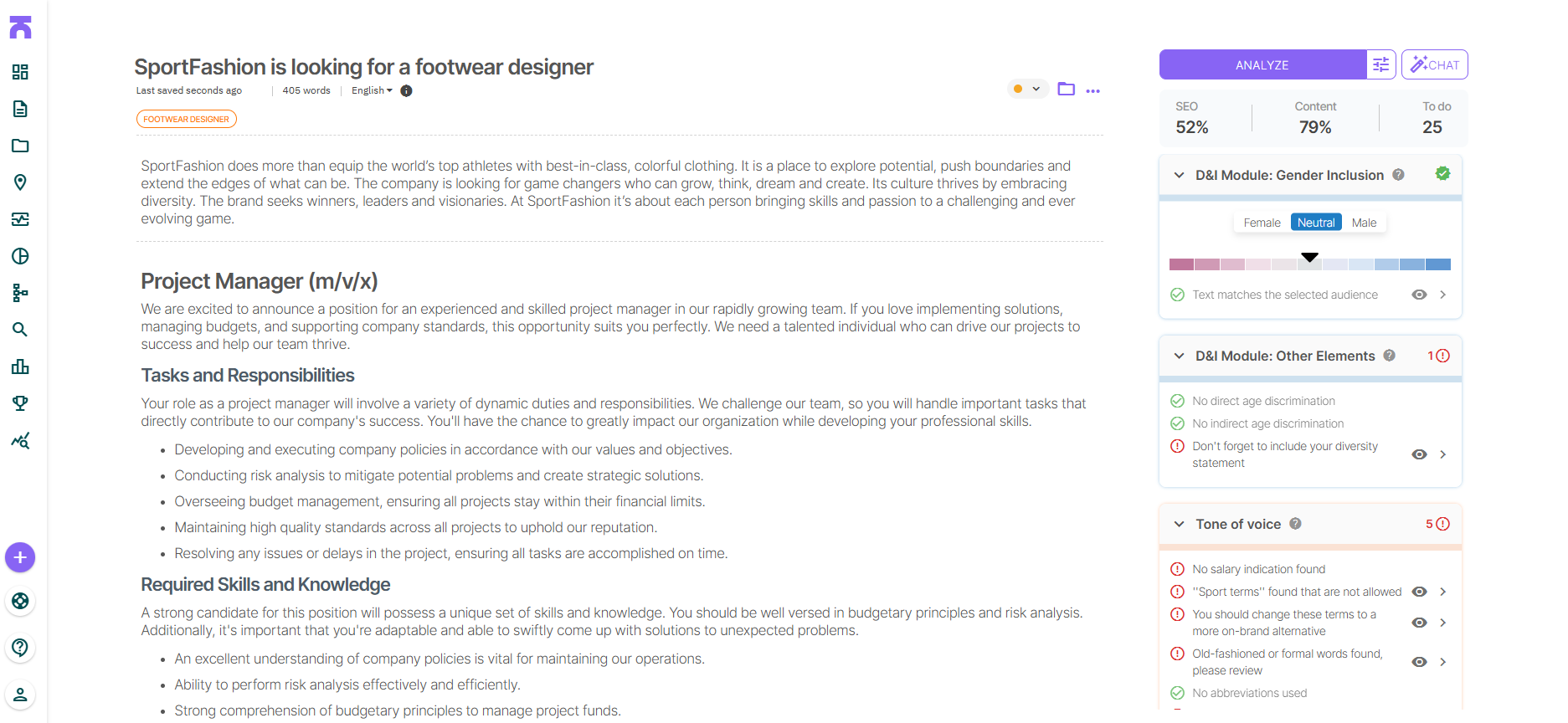
Textmetrics is the world’s leading Smart Writing Assistant that helps you write inclusive job ads. It’s now available for LinkedIn users. On this page you can read more about Textmetrics and the partnership with LinkedIn.
About LinkedIn:
LinkedIn is the place to shape your professional identity and engage with your network. Whether you’re posting updates, sharing company news, writing thought leadership pieces, or publishing job ads, the way you write directly impacts how you’re perceived. Clear, inclusive, and well-structured content helps you build trust, reach the right audience, and stand out in a crowded feed. Strong writing makes your message more impactful—and helps you connect with the people who matter.
Why Textmetrics?
- Use the suggestions of Textmetrics to write high quality vacancies
- Customized to your company specific writing guide and other guidelines
- Speak to your complete target audience and exclude nobody
- Motivate people to click the apply button
How does it work?
- Download the free Textmetrics Chrome plugin for LinkedIn
- Open the plugin in your LinkedIn environment
- Log in with your Textmetrics account
- The extension will read along while you are writing
- For suggestions click the ‘analyze content’ button
- Words or sentences will be highlighted in your text and Textmetrics will offer suggestions.