

Maximize the impact of your digital content with the Textmetrics integration for Optimizely (formerly Episerver), providing real-time AI insights to ensure your website copy is inclusive, on-brand, and perfectly optimized for conversions.
Textmetrics is the content creation platform that enables you to create webcontent that actually matches your target audience. Powered by machine learning and artificial intelligence, Textmetrics will assist you with real-time suggestions to write high quality content for your audience. With Textmetrics your content will rank better in search engines and will have better conversion rates.
With our plugin for Optimizely CMS you can directly work with the content optimization suggestions in your CMS.
This plugin works in Optimizely v11.x or later.
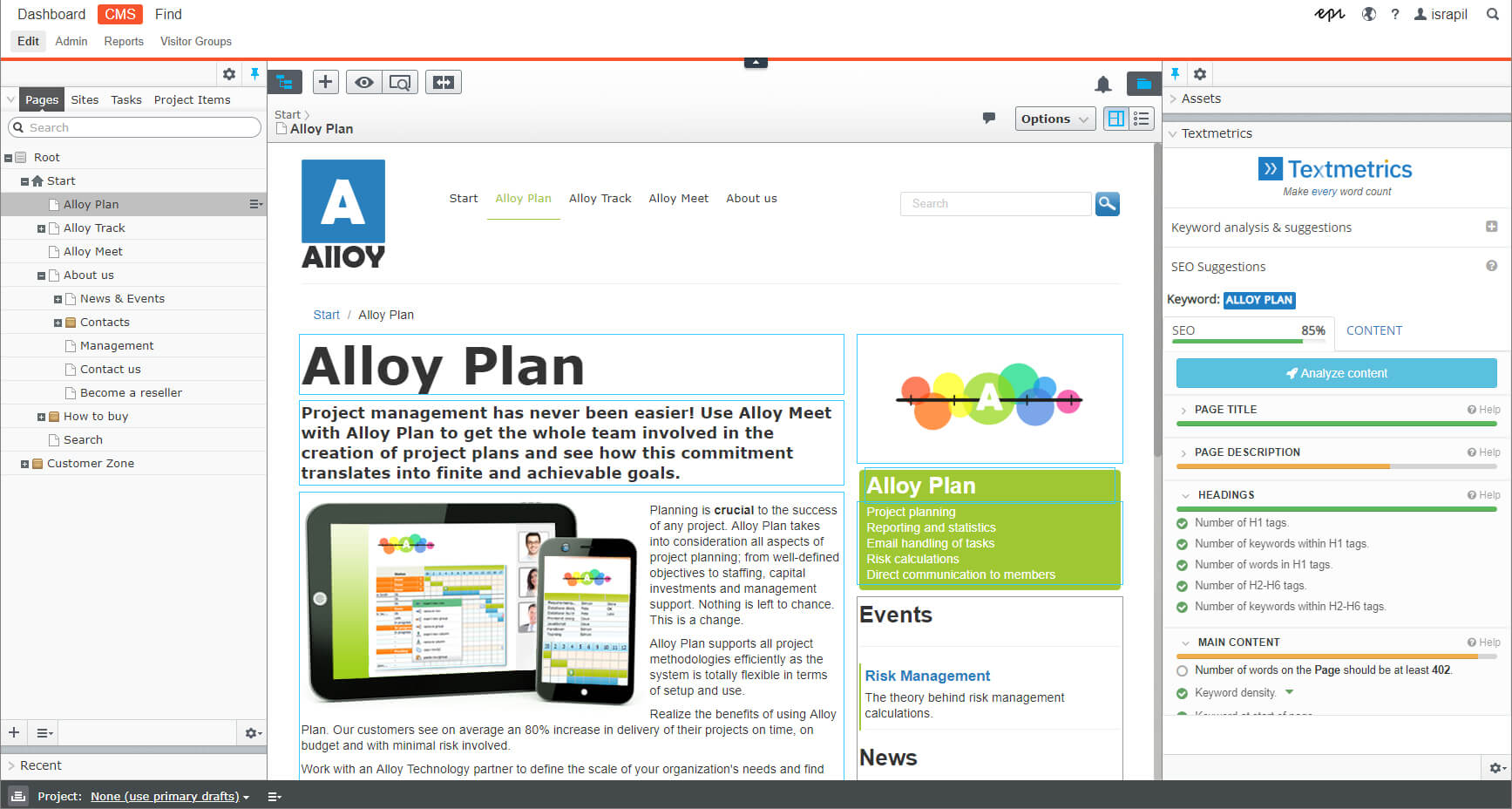
REALTIME OPTIMIZATION SUGGESTIONS
The Textmetrics plugin integrates with the Optimizely CMS editor. While writing your content, you will see realtime suggestions on how to improve your content. The suggestions will show directly alongside the editor, so they are clearly visible and easy to follow.
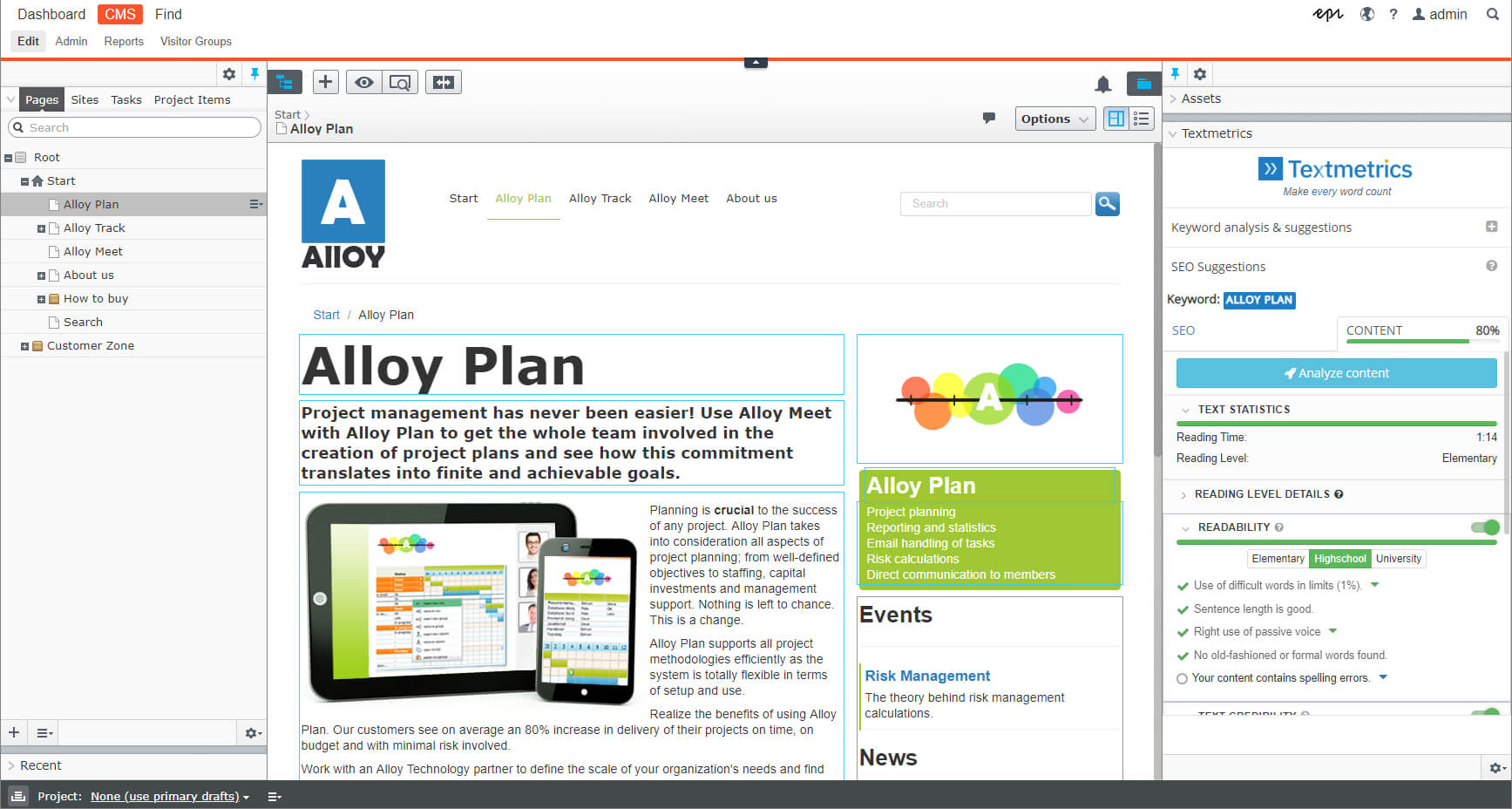
ANALYSIS OF YOUR CONTENT
Textmetrics will analyze your content and tell you how to optimize it for maximum results in search engine rankings.
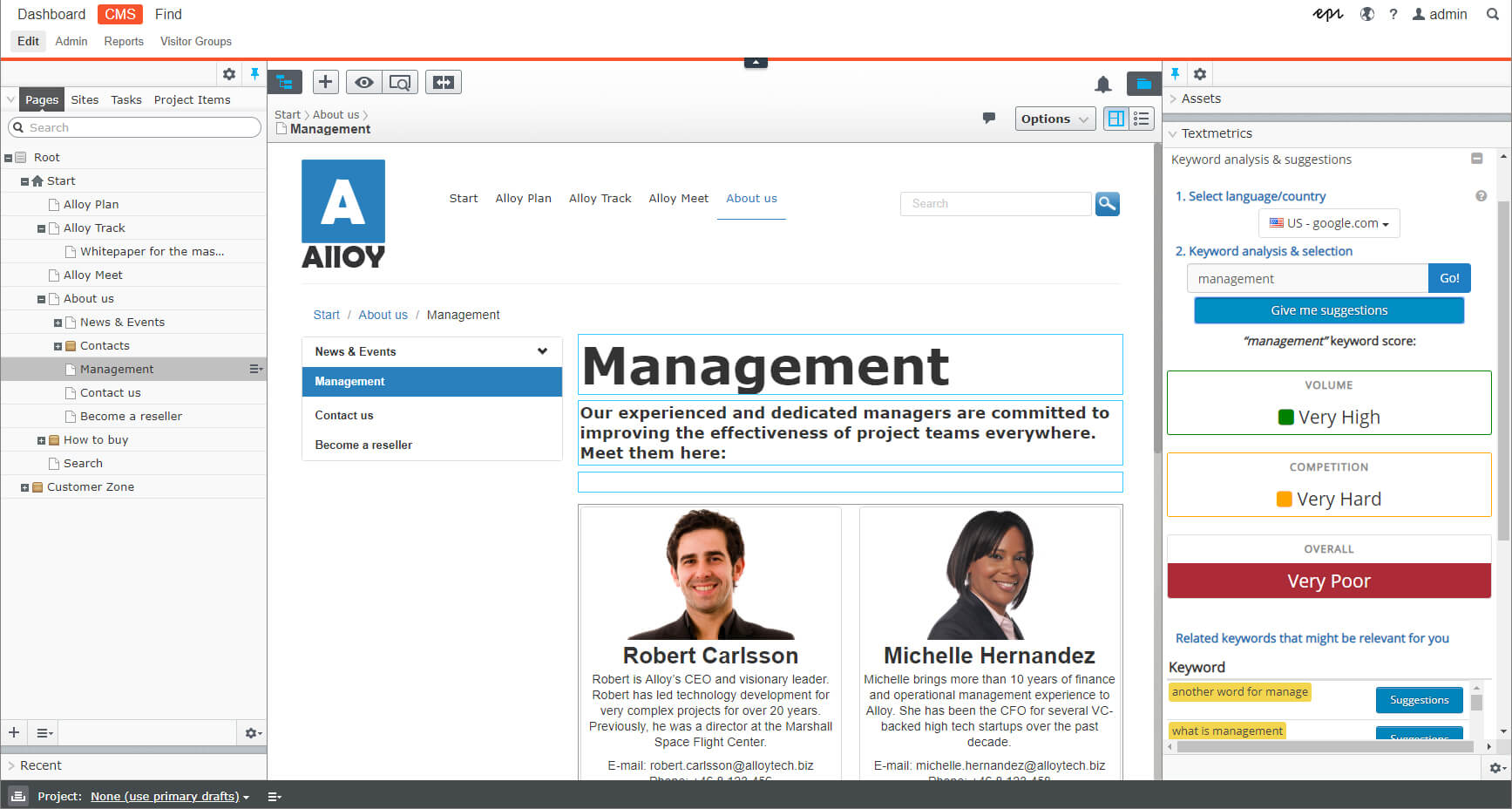
KEYWORD ANALYSIS & RESEARCH
Textmetrics will help you find the best keywords for your content. Fill in your keyword to have it analyzed on volume and competition in realtime and also get suggestions on other keywords you could use.
Installation & Usage
To install Textmetrics for Optimizely CMS, follow these steps:

Install Textmetrics Module in your NuGet Package Manager.
You can find the package here.

After installing, you will find the dashboard under CMS →Admin mode → Tools → Textmetrics.

Login using your Textmetrics credentials or use the API key option.

Now, go to CMS → Edit Mode and check if the plugin appears on the right. If it does, it means you’ve installed it successfully.
You might need to add Textmetrics as a widget (in the CMS -> Edit window). Click on the cogwheel on the right and select Add Widget. In the popup menu select ‘Textmetrics’.